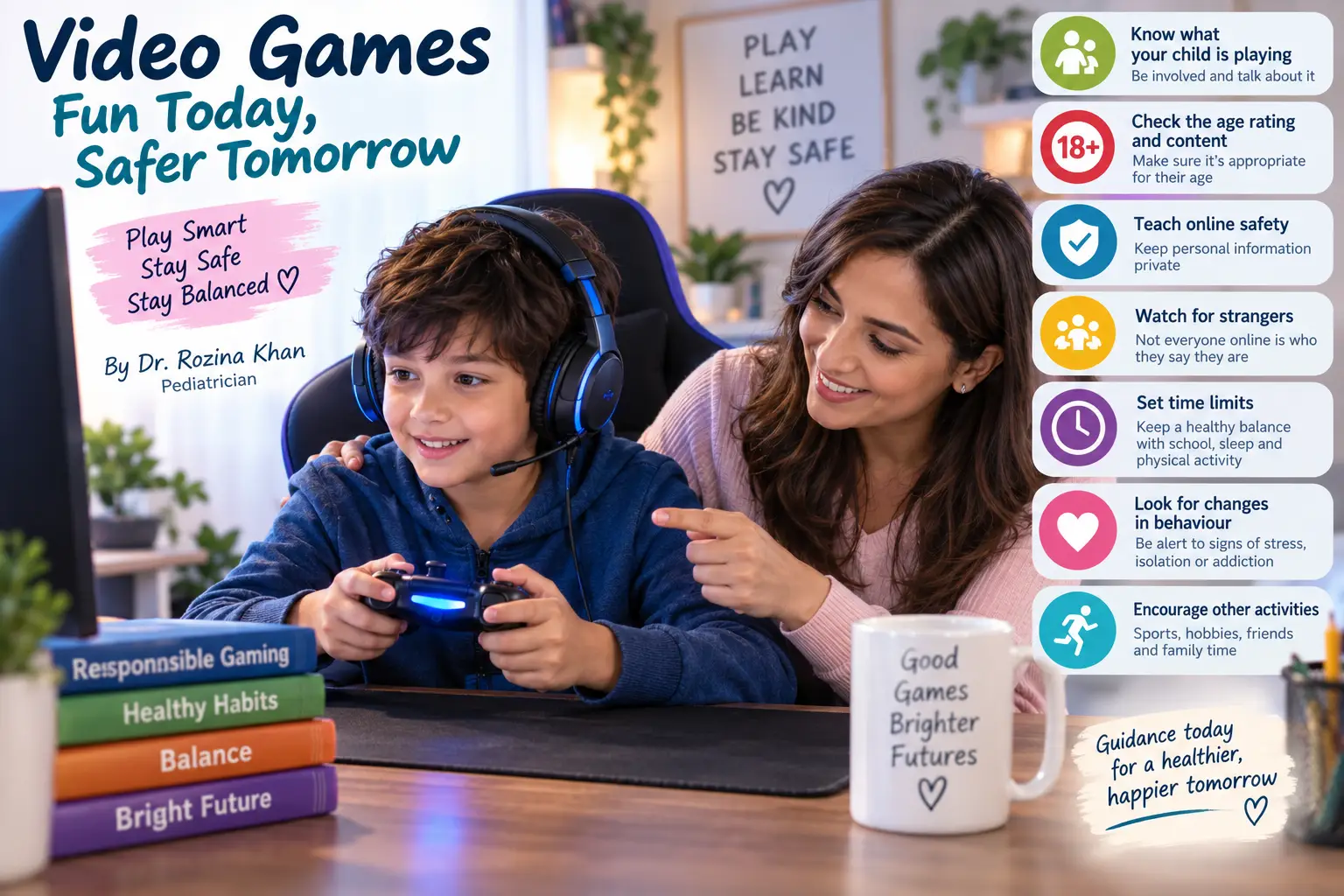
1. Know What Your Child Is Playing
Take an interest in your child’s games.
Learn about the games they enjoy and understand current gaming trends. This makes it easier to have meaningful conversations with your child and recognize when a game may not be appropriate for their age or your family’s values.
You don’t have to be a gamer to be an informed parent.
2. Check the Age Rating and Content
Never rely only on the game’s popularity.
Check the age rating and, whenever possible, review the actual content before allowing your child to play.
The source recommends that parents research games and use resources that provide information and discussions about game content.
Also remember that age recommendations are there for a reason. The source gives Fortnite as an example of a game carrying an age recommendation and emphasizes the importance of following these ratings.
3. Teach Your Child About Privacy
Children should understand that personal information should remain private.
Teach them not to share with strangers:
- Their full personal details
- Private photographs
- Personal videos
- Information about their home or family
- Other identifying information
If communication with other players is permitted, parents should understand how the communication works and ensure that conversations do not move from the gaming platform into private chats or social media without appropriate parental awareness.
4. Teach Them to Mute, Block and Report
Children should know what to do when someone makes them uncomfortable.
Most online gaming platforms provide options such as:
Mute → Block → Report
Teach your child how to use these tools.
Most importantly, tell them:
“If someone makes you uncomfortable online, come and tell me.”
The source emphasizes listening calmly and ensuring that children understand they can approach their parents when an online interaction makes them uncomfortable.
5. Check the Safety Settings
Take time to explore the game’s safety and privacy settings.
Depending on the game, parents may be able to restrict communication, control access to certain content or modify other privacy features.
Whenever your child starts using a new game, take a few minutes to understand its settings.
6. Keep the Conversation Open
Internet safety should not be a one-time conversation.
Talk regularly with your children about:
- What games they are playing
- Who they are playing with
- What happens during their games
- Anything that makes them uncomfortable
- New features or trends they encounter
The source emphasizes that ongoing communication helps parents understand their children’s interests while reassuring children that their parents are interested, informed and supportive.
Don’t simply say “NO”
If you prohibit something without explaining why, curiosity may become stronger.
Instead, explain why a particular game, interaction or behaviour may be unsafe and give your child an opportunity to discuss it with you.
7. Set Clear Limits on Gaming Time
Parents should decide when and on which days children can play.
Gaming should not interfere with:
📚 School performance
🏃 Physical activity
😴 Healthy daily routines
👨👩👧 Family interaction
🎨 Other interests and hobbies
The source emphasizes setting limits so that gaming does not negatively affect academic performance or physical activity.
8. Teach Children That They Can Report Problems
Children should know that they have the right to tell a parent, teacher or another trusted adult if they encounter:
- An inappropriate game
- An uncomfortable player
- Bullying
- Threatening behaviour
- Suspicious communication
The goal is to make children feel safe speaking up rather than afraid of losing their gaming privileges.
9. Pay Attention to Violent Content
Many video games contain different levels of violence.
Some children may be affected by repeated exposure to violent content, even when it occurs only through a screen. The source advises parents to observe their child’s behaviour and encourage other positive activities rather than allowing gaming to become dominated by violent content.
If you notice significant changes in your child’s behaviour, mood or social interactions, take the time to understand what they may be experiencing.
10. Encourage Real-World Activities
Gaming should be one part of childhood—not childhood itself.
Encourage your child to spend time with friends in the real world and participate in hobbies, sports and other physical activities.
A healthy balance between screen-based entertainment and active hobbies is important.
Try replacing some gaming time with:
⚽ Sports
🚴 Cycling
🏊 Swimming
🎨 Art and creative activities
📚 Reading
🎵 Music
👨👩👧 Family activities
👫 Playing with friends
Parents Need to Understand the Digital World Too
Technology is changing rapidly.
Parents cannot effectively guide, supervise and protect children from a digital environment they do not understand. The source encourages parents to keep learning about new technology and to use reliable resources available in both Arabic and English to understand these developments.
You don’t need to know every game. But you should know enough to understand your child’s digital world.
A Simple Parent’s Gaming Safety Checklist
Before your child starts a new online game, ask:
☑️ What is the game’s age rating?
☑️ Have I checked the content myself?
☑️ Does the game allow communication with strangers?
☑️ Does my child know what personal information must remain private?
☑️ Does my child know how to mute, block and report?
☑️ Have I checked the game’s safety settings?
☑️ Have we agreed on gaming times and limits?
☑️ Is gaming affecting school or physical activity?
☑️ Is my child spending enough time with family and real-world friends?
☑️ Does my child feel comfortable coming to me with a problem?
A Message to Parents From Dr. Rozina
Video games are not necessarily the enemy. Unsupervised and excessive gaming can become the problem.
Our children are growing up in a digital world, and our responsibility is not simply to take technology away from them. It is to teach them how to use it safely, responsibly and in moderation.
Stay interested in their games. Check the content. Understand the privacy settings. Teach them to block and report inappropriate behaviour. Set reasonable limits. Encourage sports, hobbies, friendships and family time.
Most importantly, keep the door of communication open.
When children know they can talk to their parents without fear or embarrassment, they are more likely to seek help when something goes wrong.
Let gaming be a source of enjoyment—not a substitute for real life.
Dr. Rozina Khan
Pediatrician | General Pediatrics | Child Development | Autism & ADHD Assessments